AI Workspace Coach

Design a workspace you'll love working in.

Upload one photo of your desk and receive a personalized Workspace Review, practical improvements, and products that actually fit your setup.

Beta preview • Personalized Upgrade Planner • No signup required

PalmGizmo Workspace Review
Example
01

Upload

One desk photo

02

Workspace Review

4 areas reviewed

03

Workspace Score

Clear priorities

04

Product Matches

Products that fit

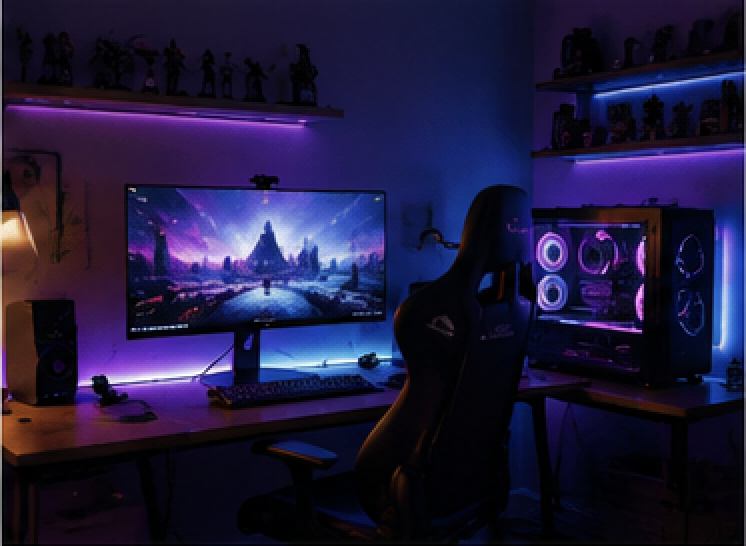
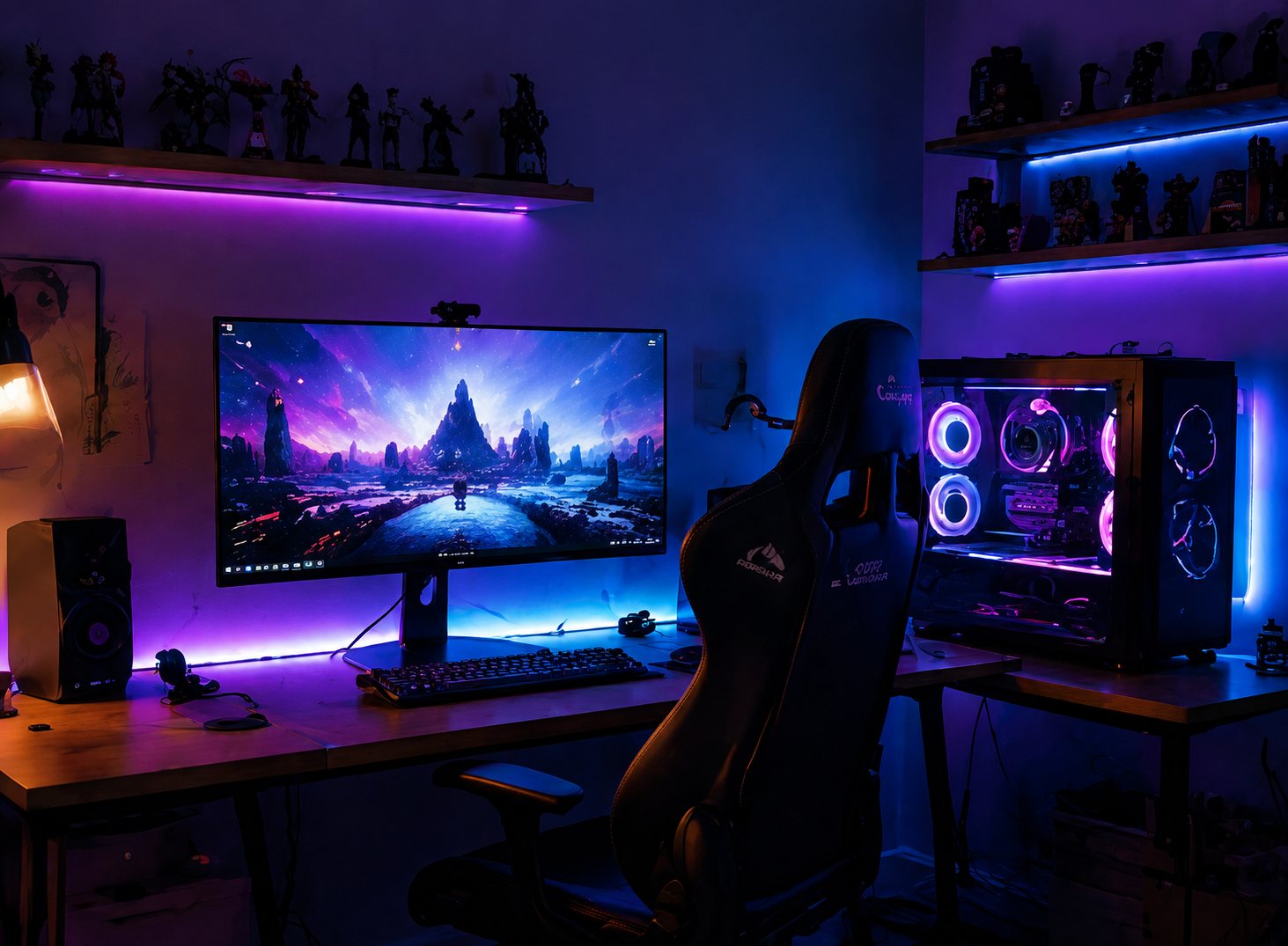
Realistic gaming creator workspace with monitor, desk lamp, cable area, chair, and RGB desktop computer.
Example Workspace
Cable pathVisible cable routing under the monitor breaks up the clean desk line.

Workspace Score

82 / 100

Top Product Match

Monitor Arm

Secondary Product Match

Cable Management

Confidence

92%

Sample report preview
Gaming Creator Setup
Workspace Review Preview

Workspace Review

Your Workspace Score

Category scores

Lighting78
Ergonomics84
Organization76

AI findings

Overlay visible

Product Match

Best match

Monitor Arm

Highest weighted impact for ergonomics, comfort, and usable desk depth.

Interactive Workspace Review preview using a demo workspace photo—no OpenAI request runs from this example.

Want to try without uploading your own desk?

Run the stored Gaming Creator Setup through the normal review flow.

How PalmGizmo Works

From desk photo to a practical upgrade path.

Stage 01

Upload Workspace

Start with one realistic desk photo so the review has context.

Stage 01

Gaming creator workspace photo used as the PalmGizmo upload example.

Upload Workspace

Start with one realistic desk photo so the review has context.

82

Stage 02

Workspace Review

A score and category bars make the workspace priorities scannable.

Stage 02

Sample score

Workspace Score

The score anchors the review so visitors immediately know where the setup stands.

Lighting

Add neutral task light

78

Ergonomics

Raise the display

84

Organization

Route visible cables

76

Comfort

Improve reach zones

81

Stage 03

Upgrade Planner

The review becomes a step-by-step improvement journey.

Stage 03

Current → Recommendations → Potential Score
  1. Current

    82/100

    Strong base

    The desk already has a clear work zone and enough surface depth.

  2. Recommendations

    +7score gain

    Three focused changes

    Lift the monitor, add task lighting, and clean up cable paths.

  3. Potential Score

    89/100

    Better daily setup

    Higher comfort and visual calm without replacing the whole desk.

Stage 04

Product Matches

Product cards explain the gain, price range, and reason before links are added.

Stage 04

Affiliate links placeholder
Monitor Arm recommendation context in the sample workspace.
+4 score gain

Monitor Arm

$45-90

Improves eye line and frees desk depth.

Task Light recommendation context in the sample workspace.
+2 score gain

Task Light

$30-70

Adds neutral light where the current lamp falls off.

Cable Kit recommendation context in the sample workspace.
+1 score gain

Cable Kit

$15-35

Reduces visible clutter around the monitor base.

You will receive

A clear plan from one desk photo.

Upload your workspace to see the score, fixes, and product ideas that make the next upgrade easier to choose.

Workspace Score

A clear read on what is working now and what is holding the setup back.

Personalized upgrades

Specific improvements prioritized around comfort, focus, and visual clarity.

Product recommendations

Practical product categories matched to the changes that matter most.

Exportable report

A shareable Workspace Review you can save, compare, or revisit later.

Photo Tips

Capture a clear workspace photo.

  • Include the full desk.
  • Keep the monitor visible.
  • Avoid heavy blur.
  • Use natural or bright lighting.
  • Stand about 1–2 meters away.

Step one

Upload your desk photo.

The planned experience starts with the space you have today. One clear photo gives the AI Workspace Coach context about your layout, lighting, and accessories.

Beta preview: your photo is previewed locally first, then sent to the review route only when you start your Workspace Review.

Private beta access is limited while PalmGizmo tunes review quality, recommendations, and cost controls.
Add your photo
Local preview

Choose your desk photo

JPG, PNG, or WebP · Up to 8 MB

Choose a local desk photo to preview it before your Workspace Review.

Photos are sent only when you start the Workspace Review.

Local preview remains on this device. When you start a Workspace Review, the selected file is sent once to PalmGizmo for this request and is not stored.
Workspace review progress
Beta preview

AI review

Ready when you are

Choose a photo to start the Workspace Review.

Ready when you are0%

Step two

Watch the Workspace Review prepare.

After you choose a local photo, PalmGizmo shows the same review sequence the AI Workspace Coach uses before loading your Workspace Review.

This beta preview shows the review timing before your completed Workspace Review appears.

The selected image is sent only when you start a Workspace Review and is not stored by PalmGizmo.

Step three · Workspace Review

Workspace Review

See why your workspace earned its score, what already works, and the three changes worth making first.

Workspace Review

Complete review · Sample workspace profile

Coach summary

82/100 Workspace Score.

A polished gaming-style workspace with strong ambient lighting and a clear main work zone. The biggest gains come from cleaner cable routing and adding neutral task lighting for non-screen work.

Best next move

Fine-tune monitor position with an arm or stand, then clean up visible cable routing.

Workspace Score

Office Setup benchmark

Better than

82%

Top

18%

Category Average

70/100

Why this score?

The Workspace Score is computed from weighted visible evidence across lighting, ergonomics, organization, comfort, and space use. Top positive driver: Organization — Clear main work zone. Top negative driver: Organization — Visible cable under desk.

Score Drivers

  • Organization — Clear main work zone+6

    The primary desk surface appears usable and not overloaded.

  • Space Use — Clear main work zone+6

    The setup preserves enough open desk area for focused work.

  • Comfort — Comfortable screen-based layout+6

    The visible chair and primary work zone support comfortable screen-based sessions.

  • Ergonomics — Stable primary work zone+4

    The monitor, keyboard, and mouse area appears stable and reachable.

  • Lighting — Cohesive visual system+3

    Visible ambient lighting gives the workspace a more intentional visual system.

Review status

Complete review

Confidence

86%

Score evidence

Workspace metrics

Lighting78
Ergonomics84
Organization76
Comfort86
Space use84

Keep

Strengths

2 found
  • Cohesive ambient lighting

    The RGB ambient lighting, monitor glow, and PC tower create a cohesive gaming creator atmosphere.

  • Clear main work zone

    The central keyboard, mouse, and monitor area remains open enough for focused work.

Improve

Weaknesses

2 found
  • !

    Heavy cable clutter

    Some cables are visible under or behind the desk and reduce the otherwise polished setup.

  • !

    Limited neutral task lighting

    The setup has strong RGB ambiance, but a neutral task light for writing or detailed work is not clearly present.

Progress Coach

This is your baseline review.

This is your baseline review.

Previous

Current

82

Score change

Future reviews will show score movement.

New improvements

  • The large monitor could benefit from more flexible positioning.
  • Visible cable routing reduces the setup's otherwise polished look.
  • RGB ambiance is strong, but neutral task lighting is limited.

Regressions

No regressions detected.

Completed

Nothing completed yet.

Remaining

  • Monitor Arm
  • Desk Lamp
  • Cable Management

Upgrade Planner

Top upgrade steps

Start with the highest-priority step from the Workspace Review, then work through the remaining actions in order.

  1. 01

    The large monitor could benefit from more flexible positioning.

    Use a monitor arm or stable monitor stand if it fits the display and improves eye-level alignment without adding clutter.

    Expected impact

    +10 Ergonomics; +5 Comfort; +3 Space Use.

  2. 02

    Visible cable routing reduces the setup's otherwise polished look.

    Bundle visible cables along the rear desk edge and route power/display cables through one accessible under-desk path.

    Expected impact

    +8 Organization; +2 Comfort.

  3. 03

    RGB ambiance is strong, but neutral task lighting is limited.

    Add a dimmable neutral desk lamp that lights the work surface without washing out the RGB atmosphere or causing monitor glare.

    Expected impact

    +5 Workspace Score; +5 Lighting.

Upgrade Planner forecast

Estimated score after each improvement

These are directional estimates based on the visible issues and the current Upgrade Planner.

01+10

Fine-tune monitor height with an arm or stand

Estimated Workspace Score

92

02+2

Bundle visible cables along the rear desk edge

Estimated Workspace Score

94

03+2

Add a neutral task light

Estimated Workspace Score

96

Workspace Simulator

Try upgrades before buying anything

Simulate future score changes from the scoring engine, benchmark context, recommendations, and product intelligence. No AI request is made.

Current

82

Projected Score

96

+14 cumulative

Path

Highest ROI sequence

Office Setup context

Projected score uses the current Workspace Score, Office Setup benchmark context, and deterministic recommendation ROI without another AI review.

Simulated path

Current → upgrades → projected

Local only
  1. Add 1

    Monitor Arm

    Adjustable Monitor Arm

    Gain

    +10

    Score

    92

    ROI

    5/5

    Monitor Arm fits because PalmGizmo saw work zone evidence and this category raises the display closer to eye level.

    $50-100Buy first+10 cumulative
  2. Add 2

    Desk Lamp

    Adjustable Desk Lamp

    Gain

    +2

    Score

    94

    ROI

    4/5

    Desk Lamp fits because PalmGizmo saw lighting evidence and this category adds neutral light for writing and detailed work.

    $20-60High priority+12 cumulative
  3. Add 3

    Cable Management

    Cable Management Tray

    Gain

    +2

    Score

    96

    ROI

    4/5

    Cable Management fits because PalmGizmo saw cable path evidence and this category hides visible cable routes.

    $20-40High priority+14 cumulative

Action Plan

What should I do next?

Start with the highest-ROI recommendation, then work through the next two practical improvements.

3 actions
  1. Action 1 · High priority

    Monitor Arm

    Use a monitor arm or stable monitor stand if it fits the display and improves eye-level alignment without adding clutter.

    Highest ROI

    Product category

    Monitor Arm

    Estimated improvement

    +10 Workspace Score

    Estimated effort

    30 minutes · Medium

    Price range

    $50-100

    Buying priority

    Buy first

    Recommendation logic

    Observation

    The main desk surface is not overloaded with loose objects.

    Why it matters

    A monitor arm can improve eye-level alignment, comfort, and usable desk depth.

    Expected benefit

    +10 Ergonomics; +5 Comfort; +3 Space Use.

    Trade-off

    Choose this before desk lamp if the main desk surface is not overloaded with loose objects is the main blocker.

    Confidence

    high

  2. Action 2 · Medium priority

    Desk Lamp

    Add a dimmable neutral desk lamp that lights the work surface without washing out the RGB atmosphere or causing monitor glare.

    Product category

    Desk Lamp

    Estimated improvement

    +2 Workspace Score

    Estimated effort

    10 minutes · Easy

    Price range

    $20-60

    Buying priority

    High priority

    Recommendation logic

    Observation

    The visible lighting is primarily ambient and screen-oriented.

    Why it matters

    Screen-focused ambient lighting can be less useful for writing, sketching, or detailed non-screen work.

    Expected benefit

    +5 Workspace Score; +5 Lighting.

    Trade-off

    Choose this before monitor arm if the visible lighting is primarily ambient and screen-oriented is the main blocker.

    Confidence

    medium

  3. Action 3 · Low priority

    Cable Management

    Bundle visible cables along the rear desk edge and route power/display cables through one accessible under-desk path.

    Product category

    Cable Management

    Estimated improvement

    +2 Workspace Score

    Estimated effort

    15 minutes · Easy

    Price range

    $20-40

    Buying priority

    High priority

    Recommendation logic

    Observation

    Visible cable under desk.

    Why it matters

    Visible cables reduce organization and usable leg space.

    Expected benefit

    +8 Organization; +2 Comfort.

    Trade-off

    Choose this before monitor arm if visible cable under desk is the main blocker.

    Confidence

    high

Upgrade Planner

Your upgrade journey

PalmGizmo ranks upgrade categories by highest estimated ROI, then shows cost, score gain, time, and difficulty for each option.

If you only buy one thing, buy...

Monitor Arm

Adjustable Monitor Arm

Cost

$50-100

Gain

+10

ROI Rating

5/5

Current

82

Potential

98

Estimated Completion

$149

55 min

Overall Progress

84%

Shopping Plan

Best upgrades within Custom budget

1 upgrade fit within $100, moving the Workspace Score from 82 to 92.

Budget

$100

Plan cost

$79

Remaining

$21

Expected Workspace Score

82 92

  1. Buy 1

    Monitor Arm
    +10

    Adjustable Monitor Arm is prioritized because PalmGizmo saw the main desk surface is not overloaded with loose objects and this upgrade raises the display closer to eye level.

    $50-10030 minutesVery High ROI

Pricing is estimated for planning only. Live affiliate pricing can replace these values later.

Estimated Completion Timeline

Today

Step 1: Monitor Arm

Weekend

Step 2: Desk Lamp

Later

1 follow-up step

ROI Rank 1 · Rating 5/5

Monitor Arm

Adjustable Monitor Arm

Monitor Arm fits because PalmGizmo saw work zone evidence and this category raises the display closer to eye level.

Match Score

71%

medium Match

Buying rationale

  • +Raises the display closer to eye level.
  • +Frees usable desk depth.
  • +Improves posture for long sessions.

Expected score gain

+10

Product category

Monitor Arm

Price range

$50-100

Buying priority

Buy first

Trade-off

Choose this before desk lamp if the main desk surface is not overloaded with loose objects is the main blocker.

Monitor Arm vs Desk Lamp

PalmGizmo recommends this before the alternative because it has higher expected score gain.

Related workspace finding

Clear main work zone

Current Score

82

Expected Score

92

Estimated Score Gain

+10

Difficulty

Medium

Estimated Cost

$50-100

Time Required

30 minutes

ROI Rating

5/5 · Very High

Why this recommendation?

1Observation

The main desk surface is not overloaded with loose objects.

2Why it matters

A monitor arm can improve eye-level alignment, comfort, and usable desk depth.

3Recommendation

Use a monitor arm or stable monitor stand if it fits the display and improves eye-level alignment without adding clutter.

4Expected benefit

+10 Ergonomics; +5 Comfort; +3 Space Use.

5Confidence
76%high confidence

The monitor and desk are visible, but exact mount compatibility and eye height are unknown.

6Trade-off

Choose this before desk lamp if the main desk surface is not overloaded with loose objects is the main blocker.

Coach details

Evidence

  • Work zone · Main work zone
    The main desk surface is not overloaded with loose objects.

Finding

  • Clear main work zone

Confidence

76% · high. The monitor and desk are visible, but exact mount compatibility and eye height are unknown.

Required features

  • VESA compatibility or stable raised platform
  • height adjustment
  • clean cable routing support
  • VESA compatibility
  • desk clamp or grommet mount
  • tilt and swivel range
  • cable routing clips

Best for

  • low monitor height
  • limited desk space
  • ergonomic screen positioning
  • monitor below eye level
  • limited desk depth
  • keyboard crowded by monitor base
  • visible need for ergonomic screen adjustment

Traceability

Monitor support has the highest total user benefit because ergonomics and comfort are weighted above visual cleanup. +10 Ergonomics; +5 Comfort; +3 Space Use.

Product Matches

ROI Rank 2 · Rating 4/5

Desk Lamp

Adjustable Desk Lamp

Desk Lamp fits because PalmGizmo saw lighting evidence and this category adds neutral light for writing and detailed work.

Match Score

53%

low Match

Alternative products may be more suitable.

Buying rationale

  • +Adds neutral light for writing and detailed work.
  • +Reduces screen-only lighting dependence.
  • +Improves evening workspace comfort.

Expected score gain

+2

Product category

Desk Lamp

Price range

$20-60

Buying priority

High priority

Trade-off

Choose this before monitor arm if the visible lighting is primarily ambient and screen-oriented is the main blocker.

Desk Lamp vs Monitor Arm

PalmGizmo recommends this before the alternative because it has stronger overall user impact.

Related workspace finding

Limited neutral task lighting

Current Score

92

Expected Score

96

Estimated Score Gain

+2

Difficulty

Easy

Estimated Cost

$20-60

Time Required

10 minutes

ROI Rating

4/5 · High

Why this recommendation?

1Observation

The visible lighting is primarily ambient and screen-oriented.

2Why it matters

Screen-focused ambient lighting can be less useful for writing, sketching, or detailed non-screen work.

3Recommendation

Add a dimmable neutral desk lamp that lights the work surface without washing out the RGB atmosphere or causing monitor glare.

4Expected benefit

+5 Workspace Score; +5 Lighting.

5Confidence
78%medium confidence

The lighting pattern is visible, but off-camera room lighting is unknown.

6Trade-off

Choose this before monitor arm if the visible lighting is primarily ambient and screen-oriented is the main blocker.

Coach details

Evidence

  • Lighting · Left lighting zone
    The visible lighting is primarily ambient and screen-oriented.

Finding

  • Limited neutral task lighting

Confidence

78% · medium. The lighting pattern is visible, but off-camera room lighting is unknown.

Required features

  • neutral color temperature
  • dimmable brightness
  • directional shade
  • warm color temperature
  • neutral color mode
  • adjustable arm or head
  • low glare shade
  • compact base

Best for

  • dim evening work
  • uneven lighting
  • warmer desk atmosphere
  • limited neutral task lighting
  • poor lighting
  • strong ambient light but weak work light
  • night or evening desk use

Traceability

A neutral desk lamp supports detailed work without replacing the gaming-style ambiance. +5 Workspace Score; +5 Lighting.

Product Matches

ROI Rank 3 · Rating 4/5

Cable Management

Cable Management Tray

Cable Management fits because PalmGizmo saw cable path evidence and this category hides visible cable routes.

Match Score

65%

medium Match

Buying rationale

  • +Hides visible cable routes.
  • +Clears leg space under the desk.
  • +Makes the desk easier to reset.

Expected score gain

+2

Product category

Cable Management

Price range

$20-40

Buying priority

High priority

Trade-off

Choose this before monitor arm if visible cable under desk is the main blocker.

Cable Management vs Monitor Arm

PalmGizmo recommends this before the alternative because it has stronger overall user impact.

Related workspace finding

Heavy cable clutter

Current Score

96

Expected Score

98

Estimated Score Gain

+2

Difficulty

Easy

Estimated Cost

$20-40

Time Required

15 minutes

ROI Rating

4/5 · High

Why this recommendation?

1Observation

Visible cable under desk.

2Why it matters

Visible cables reduce organization and usable leg space.

3Recommendation

Bundle visible cables along the rear desk edge and route power/display cables through one accessible under-desk path.

4Expected benefit

+8 Organization; +2 Comfort.

5Confidence
90%high confidence

The visible cable paths directly support this improvement.

6Trade-off

Choose this before monitor arm if visible cable under desk is the main blocker.

Coach details

Evidence

  • Cable path · Under-desk route
    Visible cable under desk.
  • Monitor · Behind monitor
    Cable bundle behind monitor.

Finding

  • Heavy cable clutter

Confidence

90% · high. The visible cable paths directly support this improvement.

Required features

  • under-desk mounting
  • wide cable channel
  • easy access for power strips
  • power strip support
  • open access for changes
  • adhesive or screw mounting option

Best for

  • visible cable clutter
  • standing desks
  • multi-device workspaces
  • visible cable routing
  • cable bundle behind monitor
  • under-desk cable clutter
  • power strip on floor

Traceability

Cable management supports a visible cleanup step after the higher-impact monitor positioning improvement. +8 Organization; +2 Comfort.

Product Matches

Your Workspace Review is shown for this request. PalmGizmo does not store the selected photo.

Workspace History

Compare Workspace Reviews over time.

Saved locally in this browser so you can reopen reviews and compare score movement after each workspace change.

Complete a Workspace Review to start building history.

How it works

Three steps to a workspace plan.

PalmGizmo turns one desk photo into a clearer next move, so you can improve the setup without guessing.

  1. 01

    Step 01

    See what your desk needs

    Upload one photo and get a fast read on comfort, lighting, organization, and focus.

  2. 02

    Step 02

    Know what to improve first

    Use your Workspace Score and category insights to choose the highest-impact fixes.

  3. 03

    Step 03

    Act with a ready plan

    Save the report, compare options, and focus spending on upgrades that move the setup forward.